Introduction
WordPress is going through one of the biggest transformations in its history.
👉 It’s moving toward a fully block-based architecture.
If you’re still relying on:
- Classic themes
- Page builders
- Shortcodes
You’re already behind.
In 2026, WordPress is no longer just a CMS—it’s becoming a visual, modular, and performance-focused platform.
So why is this shift happening?
Let’s break it down.
⚡ Quick Answer
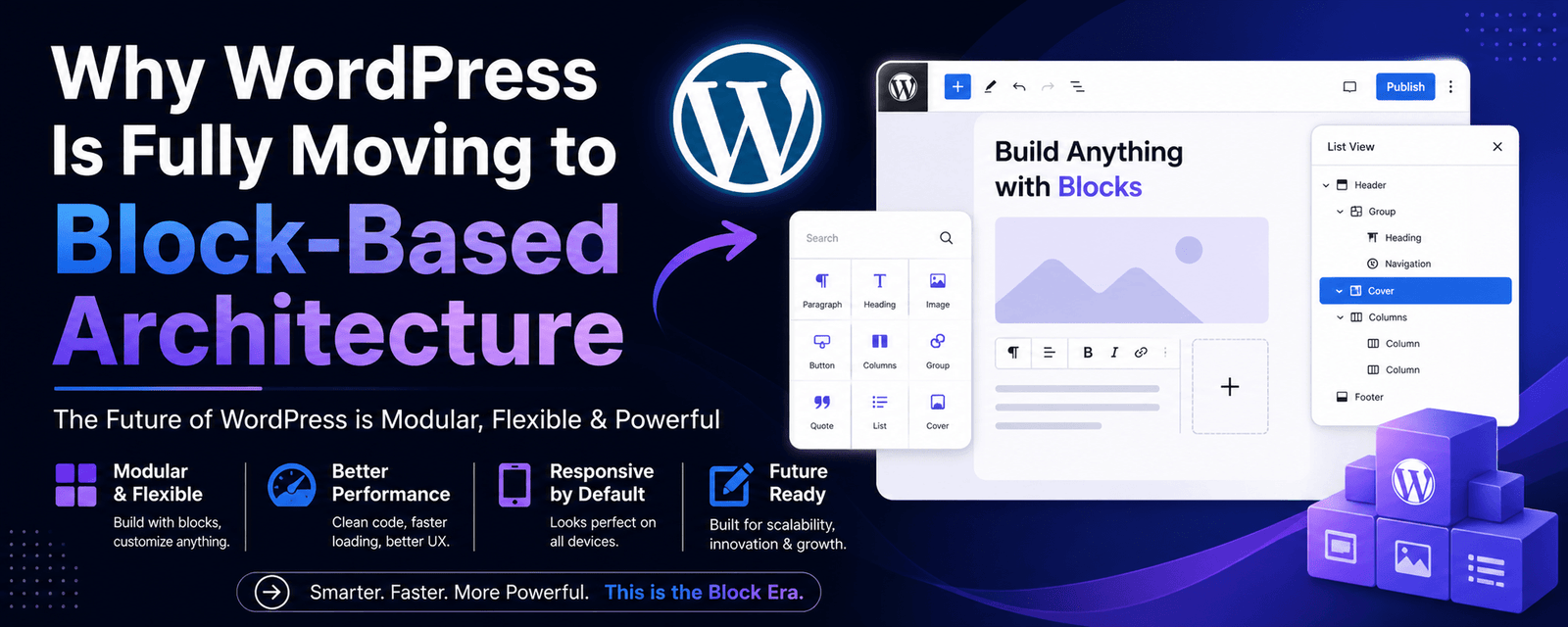
WordPress is moving to a block-based architecture to improve performance, flexibility, and user experience. Blocks replace traditional themes and page builders, allowing faster development, better design control, and improved Core Web Vitals.
- Blocks replace shortcodes and page builders
- Full Site Editing enables complete control
- Better performance and cleaner code
- Future-ready and scalable architecture
In short: Blocks make WordPress faster, simpler, and more future-ready.
🧠 What Is Block-Based Architecture?
Block-based architecture means every element on your website is a block.
Examples include:
- Text
- Images
- Buttons
- Layout sections
Instead of using hardcoded themes or complex builders, you create pages visually using blocks.
🔄 From Classic to Blocks: What Changed?
Old WordPress
- PHP-based themes
- Shortcodes
- Page builders
New WordPress
- Gutenberg editor
- Full Site Editing (FSE)
- Block themes
👉 Compare builders: Gutenberg vs Elementor
⚡ Why WordPress Is Moving to Blocks
1. Performance Matters More Than Ever
Traditional setups often load unnecessary CSS and JavaScript, slowing down websites.
Blocks load only what’s needed, reducing bloat and improving speed.
👉 Improve performance: Core Web Vitals Guide
2. Better User Experience
- Drag-and-drop editing
- Real-time previews
- Visual control
👉 No coding required.
3. Full Site Editing (FSE)
Now you can edit:
- Header
- Footer
- Templates
👉 Without touching code.
4. Developer-Friendly Structure
- Modern JavaScript (React)
- Cleaner architecture
👉 Easier to scale and maintain.
5. Future-Proof Ecosystem
WordPress is aligning with headless architecture and API-first development.
👉 Learn more: Headless vs Traditional
📊 Block-Based vs Page Builders
| Feature | Block Editor | Page Builders |
|---|---|---|
| Performance | High | Medium |
| Code Cleanliness | Clean | Heavy |
| Ease of Use | Improving | Easy |
| Flexibility | High | High |
⚠️ Challenges of Block-Based WordPress
- Learning curve
- Limited design options (still evolving)
- Compatibility issues with older plugins
🧠 Should You Switch to Block-Based WordPress?
YES if:
- You want better performance
- You want a future-proof setup
- You prefer cleaner code
NO if:
- You rely heavily on page builders
- You need advanced UI quickly
👉 Explore: WordPress Development Services
📈 Real Business Insight
Expert Insight: Websites built with optimized block themes often achieve better Core Web Vitals compared to heavy page builders.
👉 See results: Conversion Case Study
🚀 Final Thoughts
WordPress is not just evolving—it’s transforming.
- Faster
- Cleaner
- More scalable
👉 Block-based architecture is the future.
🚀 Need Help Migrating to Block-Based WordPress?
🚀 Upgrade to Modern WordPress
We help businesses migrate from outdated setups to modern, high-performance WordPress architecture.
Get Free Consultation →Migration Services
❓ Frequently Asked Questions
What is block-based WordPress?
Block-based WordPress uses blocks to build pages visually instead of relying on themes and shortcodes.
Is Gutenberg better than page builders?
Gutenberg offers better performance, while page builders provide more design flexibility.
Will WordPress remove page builders?
No, but block-based architecture will become the default standard.
Should I switch to block themes?
Yes, if you want better performance and future compatibility.