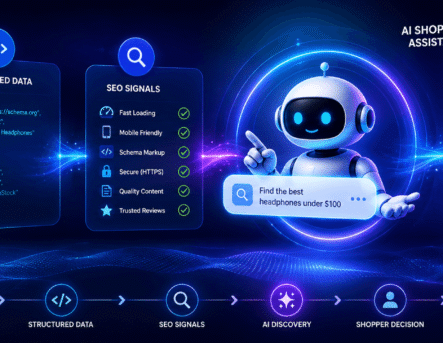
A Shopify product page has one main job: help the right customer make a confident buying decision.
But many online stores treat product pages like simple catalog entries. They add a title, a few images, a short description, a price, and then wonder why traffic and sales are low.
In 2026, product page SEO is not only about keywords. It is about clarity, trust, speed, user experience, and conversion. A page can rank well but still fail if customers do not understand the product or trust the store.
This checklist will help you improve Shopify product pages for both SEO and sales.
1. Start With Search Intent
Before writing anything, understand what the customer is trying to find.
Are they comparing products? Are they looking for a specific model? Do they care about price, size, material, delivery, warranty, or reviews?
For example, someone searching for “best ergonomic office chair for back pain” needs more guidance than someone searching for a specific chair model.
Your product page should answer the real buying questions behind the keyword.
If your store has many products, your Shopify SEO strategy should also connect product pages, collection pages, and blog content. A properly planned Shopify website development process can make this structure easier from the beginning.
2. Write Product Titles That Are Clear
A product title should be simple, searchable, and understandable.
Avoid titles that are too creative but unclear.
Weak title:
Cloud Comfort Pro
Better title:
Cloud Comfort Pro Ergonomic Office Chair with Lumbar Support
The second title gives both users and search engines more context.
A good Shopify product title may include:
- Product name
- Main feature
- Product type
- Important variation
- Brand name if relevant
Do not overstuff keywords. The title should still feel natural.
3. Create Human Product Descriptions
A product description should not just list features. It should explain why those features matter.
Many Shopify stores use generic descriptions copied from suppliers. This creates two problems. First, the content does not feel original. Second, it does not help the customer make a decision.
Instead of writing:
“This bag is made with premium material and has multiple compartments.”
Write:
“Designed for daily work and short travel, this laptop bag has separate compartments for your device, charger, notebook, and small accessories, so you do not have to search through everything when you are in a hurry.”
That feels more useful and human.
If you are using AI to write descriptions, always edit them with real product knowledge. Your article on AI product descriptions for Shopify can support this topic well.
4. Add Useful Images, Not Just Beautiful Images
Product images are one of the strongest conversion elements on a Shopify page.
Customers want to see the product clearly before they buy. Use images that answer practical questions.
Include:
- Front view
- Side view
- Close-up details
- Size comparison
- Product in use
- Packaging if important
- Variation images
- Lifestyle images
Avoid using only polished studio images. A real-use image can often build more trust than a perfect product render.
Also compress your images properly. Heavy images can slow down your Shopify store, which affects both user experience and conversion. Your guide on how to speed up a Shopify store is a good internal link for this section.
5. Improve Page Speed
A slow product page can quietly reduce sales.
Customers do not always wait for large images, heavy apps, and slow scripts to load. If the page feels delayed, they may leave before even reading the product details.
Common reasons Shopify product pages become slow include:
- Too many third-party apps
- Uncompressed images
- Large video files
- Heavy theme code
- Tracking scripts
- Poorly optimized product media
Before adding more apps, ask whether each app is truly helping conversion. A cleaner Shopify setup often performs better.
For ecommerce brands, performance is not just a technical issue. It directly affects revenue. You can connect this point with your article on why website performance matters for ecommerce growth.
6. Make the Add to Cart Section Easy to Use
The buying section should be simple.
Customers should quickly understand:
- Product price
- Available variants
- Stock status
- Delivery estimate
- Return policy
- Payment options
- Add to cart button
- Buy now option if available
Do not hide important purchase information below too much text.
If a customer has to search for size, delivery, or return details, they may lose confidence.
A strong product page removes doubt before it becomes hesitation.
7. Add Reviews and Trust Signals
Reviews help customers feel safer.
Even a simple review section can improve trust, especially when reviews mention real details like quality, delivery, size, comfort, packaging, or customer support.
Useful trust signals include:
- Customer reviews
- Star ratings
- Return policy
- Secure payment icons
- Warranty details
- Delivery information
- Brand story
- Support contact
- Real product photos
This is also important for AI-powered search experiences, where trust and clarity can influence how content is understood. Your blog on trust signals for AI SEO can support this idea.
8. Use FAQs on Product Pages
FAQs are helpful because they answer objections before the customer leaves.
Product page FAQs can include:
- What size should I choose?
- How long does delivery take?
- Is this product washable?
- What is the warranty?
- Can I return it?
- Is cash on delivery available?
- Is this suitable for daily use?
These questions should be specific to the product, not generic filler.
A well-written FAQ section can improve both user experience and SEO.
9. Optimize Meta Title and Meta Description
Every important product page should have a custom meta title and description.
A good meta title should include the product name and the main search phrase.
A good meta description should explain the product benefit clearly and encourage clicks.
Example Meta Title:
Ergonomic Office Chair with Lumbar Support | Brand Name
Example Meta Description:
Shop an ergonomic office chair designed for daily comfort, better posture, and long work hours. Available with fast delivery and easy returns.
Keep it natural. Do not repeat the same keyword too many times.
10. Connect Product Pages With Collection Pages
A product page should not stand alone.
It should be connected to relevant collection pages, related products, and helpful buying guides.
For example:
- A running shoe product page can link to a “Men’s Running Shoes” collection.
- A skincare product can link to a routine guide.
- A laptop bag product can link to related work accessories.
This helps users explore more products and helps search engines understand your store structure.
If you want to improve your store’s search and discovery experience, your article on optimizing Shopify Search & Discovery is a good supporting link.
11. Avoid Thin Product Pages
A thin product page has very little useful content.
It may include only:
- Product name
- Price
- One image
- Short copied description
This is not enough for competitive ecommerce SEO.
A strong product page should include helpful information, images, trust signals, FAQs, specifications, and clear buying guidance.
The goal is not to make the page long for no reason. The goal is to make the page useful.
12. Track What Users Actually Do
Optimization should not be based only on guesswork.
Track:
- Add to cart rate
- Product page bounce rate
- Scroll depth
- Conversion rate
- Checkout drop-off
- Most clicked elements
- Product search terms
- Returning visitors
This data shows where customers hesitate.
If many users visit but do not add to cart, the issue may be product clarity, pricing, reviews, images, or trust. If users add to cart but do not checkout, the issue may be shipping cost, payment options, or delivery time.
Your blog on why Shopify stores fail to convert can naturally support this section.
Final Thoughts
Shopify product page SEO in 2026 is not just about ranking. It is about helping people make better buying decisions.
A good product page should be easy to find, easy to understand, fast to load, and trustworthy enough to convert.
Start with the customer’s questions. Then improve the title, description, images, speed, trust signals, FAQs, and internal links.
When every product page becomes clearer and more useful, your Shopify store becomes stronger as a whole.
FAQ
How do I optimize a Shopify product page for SEO?
Start with a clear product title, original description, optimized images, fast loading speed, useful FAQs, reviews, and custom meta details.
Are product descriptions important for Shopify SEO?
Yes. Original and helpful product descriptions help users understand the product and give search engines more context.
Should Shopify product pages have FAQs?
Yes. FAQs can answer common buying questions and reduce hesitation.
Why are my Shopify product pages not converting?
Common reasons include poor images, unclear descriptions, slow speed, lack of reviews, hidden delivery details, or weak trust signals.
Can AI write Shopify product descriptions?
AI can help, but the content should be reviewed and improved with real product knowledge before publishing.