
We assess the current performance of your WordPress website using relevant performance data and identify the areas contributing to slower page delivery or rendering.
WordPress Speed Optimization
We identify and address the technical factors slowing down your WordPress website so it loads faster, performs more efficiently, and provides a smoother user experience.
Why WordPress Speed Optimization Matters for Your Business
Website performance affects how visitors interact with your website.
Slow-loading pages can make it harder for users to find information, browse products or services, complete forms, and move through important website journeys.
WordPress performance can be influenced by hosting configuration, caching, plugins, themes, images, JavaScript, CSS, database queries, third-party scripts, and the way pages are delivered to visitors.
Effective WordPress performance optimization starts with identifying the factors creating unnecessary work or delays rather than applying the same checklist to every website.

Technology benefits
Website performance affects how visitors interact with your website.
Our Process
We approach WordPress speed optimization as a structured performance review and implementation process so changes are based on the actual bottlenecks affecting your website.
We review hosting behavior, caching, plugins, themes, database activity, images, scripts, stylesheets, third-party resources, and other relevant performance factors.
We prioritize the identified issues and define an optimization approach based on your website architecture, functionality, hosting environment, and performance requirements.
We optimize relevant front-end assets and delivery processes, including CSS, JavaScript, images, lazy loading, and critical rendering resources where appropriate.
We address applicable server-side and database-related performance issues, including caching configuration, database optimization, server response time, and related infrastructure factors.
We test the website after optimization and compare relevant performance metrics to the baseline. We also check that website functionality remains intact.

Work With Zeroradius
Give Your WordPress Website a Better Performance Foundation
Share your website and performance concerns with us. We'll assess the current setup, identify the relevant bottlenecks, and define the optimization work that makes sense for your WordPress environment.
Website performance affects how visitors interact with your website. Slow-loading pages can make it harder for users to find information, browse products or services, complete forms, and move through important website journeys.
Insights
View All Articles
Featured Article
How AI Can Make WordPress Management More Efficient
A practical guide to using AI in WordPress management for content workflows, maintenance, monitoring, performance, and lead handling without over-automating the site.
Read Article
WordPress vs Shopify vs Custom: Which Platform Is Right for Your Business?
A practical comparison of WordPress, Shopify, and custom website development, with clear guidance on which platform fits different business goals, budgets, and growth plans.


BigCommerce Development Services by Zeroradius
Explore BigCommerce development services from Zeroradius, including storefront UX, custom development, integrations, migration, SEO, and performance support.

Why Businesses Choose Zeroradius for Ecommerce Development
Learn why businesses choose Zeroradius for ecommerce development, including strategy, platform selection, UX, custom development, performance, and support.
How Much Does a WordPress Website Cost in 2026?
A practical guide to WordPress website pricing in 2026, including what affects cost, realistic project ranges, hidden expenses, and how businesses should think about budget and ROI.

Why Website Performance Matters for Ecommerce Growth
Learn why website performance matters for ecommerce growth, including its impact on search visibility, user experience, conversions, trust, and revenue.

How Zeroradius Builds High-Converting Ecommerce Websites
See how Zeroradius approaches high-converting ecommerce websites through strategy, UX, performance, platform decisions, and continuous improvement.

Best Ecommerce Platforms Used by Ecommerce Development Companies in 2026
Compare the ecommerce platforms development companies use in 2026, including Shopify, WooCommerce, BigCommerce, headless commerce, and custom builds.

WordPress Core Release Roadmap: What Website Owners Should Know Before the Next Big Update
Review the WordPress core release roadmap and learn how website owners should prepare for updates, compatibility checks, backups, testing, and maintenance.
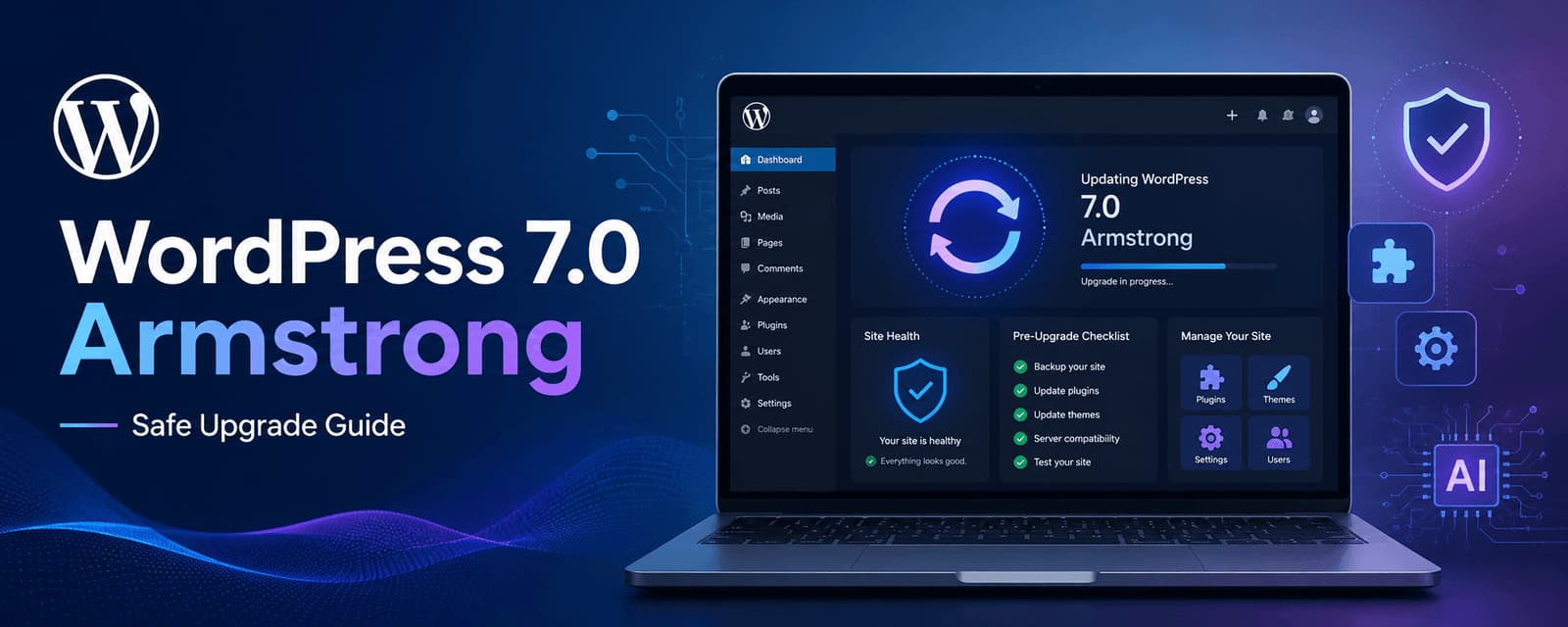
WordPress 7.0 Armstrong Update: What to Check Before Upgrading
Learn what to check before upgrading to WordPress 7.0 Armstrong, including compatibility, backups, performance, plugins, editor changes, and rollout planning.

Why WordPress Still Dominates the Web in 2026
A practical look at why WordPress still leads in 2026, from flexibility and SEO strength to ecosystem depth, performance potential, and long-term scalability.
Frequently Asked Questions
Need a more specific answer? Talk to us and we'll point you in the right direction.
WordPress speed optimization involves identifying and addressing technical factors that affect how quickly a WordPress website responds, loads, and renders for visitors.
These services can include performance audits, caching optimization, database optimization, image compression, CSS and JavaScript optimization, lazy loading, Core Web Vitals work, and server-side performance improvements.
A slow WordPress website can have multiple causes, including hosting performance, plugins, themes, database queries, large images, JavaScript, CSS, third-party scripts, caching configuration, or inefficient website functionality.
Performance improvements can often be made by identifying and addressing the specific bottlenecks affecting a website. The achievable results depend on the website's existing architecture, hosting, content, functionality, and other technical factors.
Yes. A performance audit can be used to establish a baseline and identify technical areas that may require optimization.
Yes. Relevant Core Web Vitals can be assessed and technical issues affecting loading, responsiveness, or visual stability can be addressed where applicable.
Yes. Page speed optimization can involve reviewing caching, images, scripts, stylesheets, server response, database performance, and other factors affecting page delivery and rendering.
Yes. Page caching and browser caching can be reviewed and configured according to the website's hosting environment and technical requirements.
Yes. Database optimization can address applicable performance issues involving database queries, stored data, and other database-related factors.
Yes. Images can be reviewed for file size, dimensions, formats, compression, and loading behavior.
Lazy loading can reduce the need to load certain resources before they are required. Its suitability and impact depend on how the website and its content are structured.
Yes. CSS and JavaScript can be reviewed for file size, loading behavior, unused resources, execution, and other performance-related factors.
Yes. Elementor-based WordPress websites can be assessed for performance-related issues involving page structure, assets, widgets, plugins, scripts, images, and other components.
Optimization should be implemented carefully so that performance improvements do not unnecessarily compromise the website's intended design or functionality. Changes should be tested after implementation.
Website performance is one of many technical factors that can contribute to a website's search experience and technical SEO. Speed optimization should therefore be considered as part of a broader SEO and website performance strategy.
Yes. Mobile performance can be assessed separately because mobile devices and network conditions can expose performance issues that may be less apparent on desktop.
Server response time can sometimes be improved by addressing hosting, caching, database, application, or server configuration issues. The available improvement depends on the underlying environment.
Yes. Existing WordPress websites can be audited and optimized without necessarily requiring a complete rebuild.
Yes. Performance can be reviewed as part of ongoing maintenance, particularly when new plugins, themes, content, integrations, or functionality are introduced.
Talk to a WordPress performance specialist
Improve the Performance of Your WordPress Website
A faster website starts with understanding what is actually slowing it down.
Share your website and performance concerns with us. We'll assess the current setup, identify relevant bottlenecks, and determine which optimization work is appropriate for your WordPress environment.