
We assess your WooCommerce store to identify performance bottlenecks across pages, plugins, themes, hosting, assets, scripts, and other technical components.
WooCommerce Speed Optimization
Make your WooCommerce store faster, more responsive, and easier to use with performance optimization focused on page speed, checkout, mobile experience, and technical efficiency.
Why WooCommerce Speed Optimization Matters for Your Business
A WooCommerce store can become slower as products, plugins, integrations, scripts, customer activity, and content increase.
Slow performance can affect how quickly pages load, how smoothly customers navigate the store, and how efficiently they complete purchases, especially on product pages, cart, checkout, and mobile devices.
Zeroradius reviews page loading behavior, server response time, scripts, stylesheets, images, caching, plugins, database activity, and other relevant performance factors before prioritizing fixes.
Our goal is not simply to improve a speed-test score. We focus on improving the real-world performance of your WooCommerce store while keeping its functionality, design, integrations, and customer experience intact.

Technology benefits
A WooCommerce store can become slower as products, plugins, integrations, scripts, customer activity, and content increase.
Our Process
We approach WooCommerce speed optimization by first identifying the real bottlenecks across the storefront and store stack, then prioritizing the changes most likely to improve customer experience and performance stability.
We prioritize optimization opportunities based on your store's current performance, technical environment, business requirements, and the areas with the greatest potential impact.
We optimize relevant page assets, CSS, JavaScript, images, loading behavior, and other front-end components that affect page load performance.
We review WooCommerce-specific functionality, plugins, database activity, templates, and store processes that may contribute to performance issues.
We test performance improvements using appropriate tools and measurements, including relevant Core Web Vitals and page performance metrics.
After implementation, we can continue reviewing store performance as new products, plugins, integrations, features, and content are introduced.

Work With Zeroradius
Make Your WooCommerce Store Faster
Is your WooCommerce store loading slowly, responding poorly on mobile, or struggling during checkout? Tell us about your store, hosting environment, and the areas where you are seeing performance issues.
A WooCommerce store can become slower as products, plugins, integrations, scripts, customer activity, and content increase. Performance issues affect how quickly pages load, how smoothly customers navigate the store, and how efficiently they complete purchases.
Insights
View All Articles
Featured Article
WooCommerce Development Services by Zeroradius
Explore WooCommerce development services from Zeroradius, including custom stores, theme work, plugin support, integrations, migration, SEO, and maintenance.
Read Article
BigCommerce Development Services by Zeroradius
Explore BigCommerce development services from Zeroradius, including storefront UX, custom development, integrations, migration, SEO, and performance support.

Why Businesses Choose Zeroradius for Ecommerce Development
Learn why businesses choose Zeroradius for ecommerce development, including strategy, platform selection, UX, custom development, performance, and support.

Why Website Performance Matters for Ecommerce Growth
Learn why website performance matters for ecommerce growth, including its impact on search visibility, user experience, conversions, trust, and revenue.

How Zeroradius Builds High-Converting Ecommerce Websites
See how Zeroradius approaches high-converting ecommerce websites through strategy, UX, performance, platform decisions, and continuous improvement.

Best Ecommerce Platforms Used by Ecommerce Development Companies in 2026
Compare the ecommerce platforms development companies use in 2026, including Shopify, WooCommerce, BigCommerce, headless commerce, and custom builds.

How AI Can Make WordPress Management More Efficient
A practical guide to using AI in WordPress management for content workflows, maintenance, monitoring, performance, and lead handling without over-automating the site.
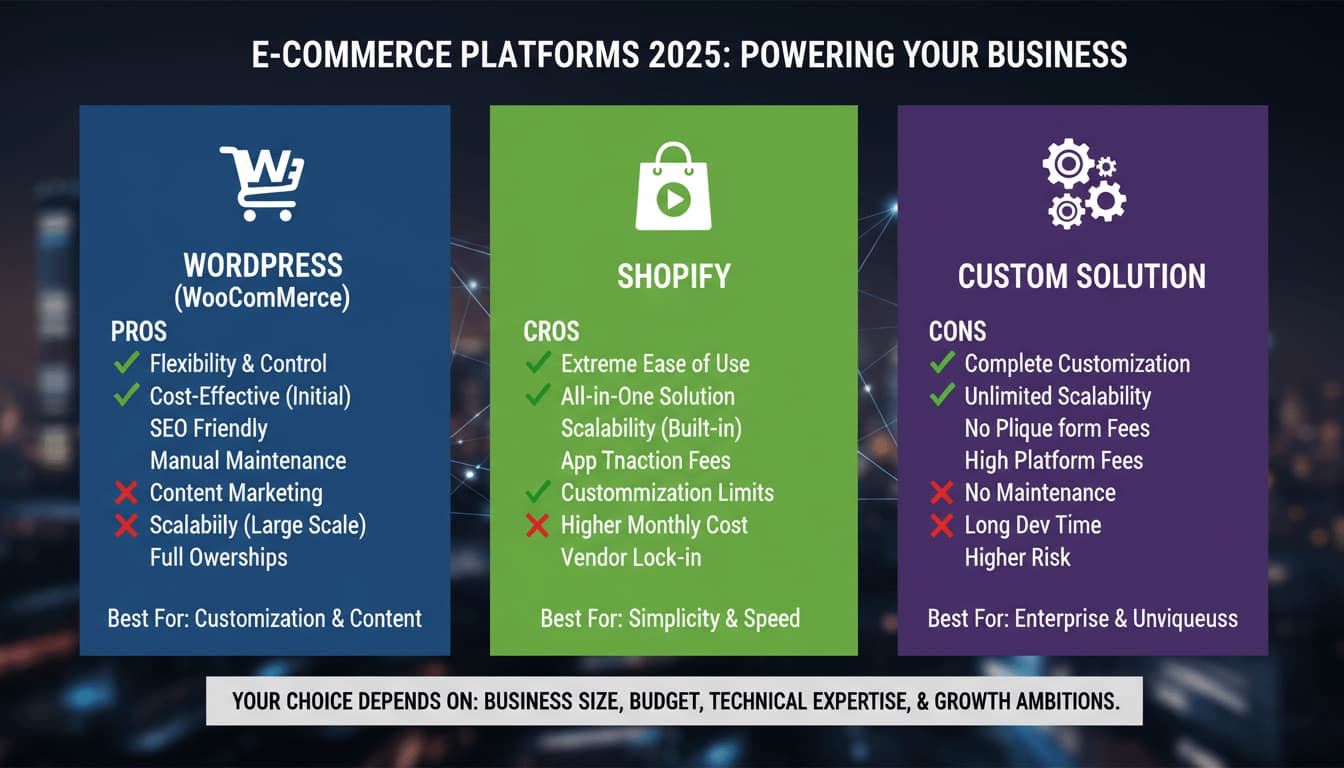
WordPress vs Shopify vs Custom: Which Platform Is Right for Your Business?
A practical comparison of WordPress, Shopify, and custom website development, with clear guidance on which platform fits different business goals, budgets, and growth plans.

Shopify Development Services by Zeroradius
Explore Shopify development services from Zeroradius, including store strategy, theme work, custom features, integrations, speed, SEO, and ongoing support.

13 Essential Elements Every High-Performing Online Store Needs in 2026
Learn the essential elements of a high-performing online store, from speed and mobile UX to trust signals, product pages, checkout, and post-launch optimization.

Why Your Business Needs an eCommerce Development Company in 2026
The eCommerce boom isn’t coming - it’s already here. By 2026, global online sales are projected to surpass $8.1 trillion, and businesses that fail to adapt risk being left behind.
Frequently Asked Questions
Need a more specific answer? Talk to us and we'll point you in the right direction.
WooCommerce speed optimization involves identifying and improving technical factors that affect the loading speed, responsiveness, and overall performance of a WooCommerce store.
A slow WooCommerce store can have multiple causes, including inefficient plugins, large images, excessive scripts, database issues, slow server response times, hosting limitations, theme code, third-party integrations, or poorly optimized assets.
Yes. WooCommerce page speed optimization can address relevant front-end, server, asset, plugin, theme, and WooCommerce-specific performance factors.
Yes. Checkout-related performance factors such as scripts, plugins, integrations, server response times, and other technical components can be reviewed and optimized.
Core Web Vitals can be addressed as part of a broader performance optimization process. The specific improvements depend on the current technical issues affecting the store and the metrics that require attention.
Yes. WooCommerce mobile optimization can focus on page weight, images, scripts, loading behavior, responsive assets, and other factors that affect performance on mobile devices.
Yes. Image optimization can include appropriate compression, resizing, format selection, and loading strategies based on the requirements of the store.
Yes. Plugins can introduce additional scripts, database queries, external requests, and functionality that may affect performance. A performance assessment can help identify plugins or plugin-related processes contributing to slowdowns.
Yes. Depending on the store's configuration, optimization may include JavaScript minification, reducing unnecessary resources, improving loading behavior, and optimizing CSS delivery.
Performance tools such as Google PageSpeed Insights and GTmetrix can be used as part of performance assessment and measurement. Their results are considered alongside the actual behavior and requirements of the WooCommerce store.
Performance improvements can contribute to a better user experience, but the effect on conversion rates depends on many factors beyond website speed. Conversion performance should be evaluated alongside other ecommerce factors.
Yes. Ongoing optimization can be useful as stores add products, plugins, integrations, features, and content that may introduce new performance considerations.
Plan your WooCommerce optimization
Ready to Improve Your WooCommerce Performance?
Give your customers a faster and more responsive ecommerce experience with WooCommerce performance optimization tailored to your store.
Whether you need page speed optimization, Core Web Vitals improvements, checkout optimization, mobile performance work, image optimization, or broader WooCommerce performance optimization, Zeroradius can help identify and address the technical factors affecting your store.