
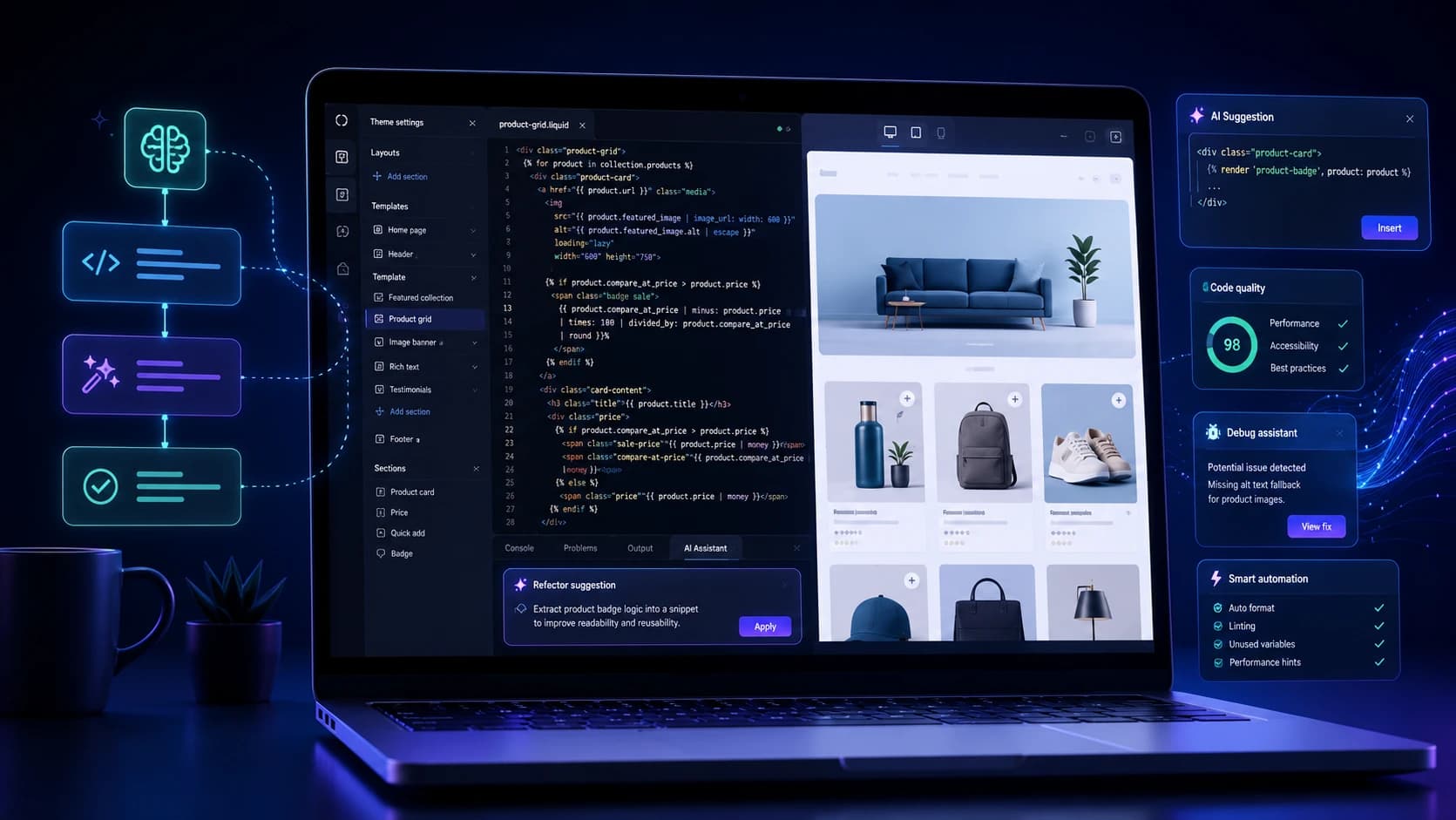
Shopify development often looks simple from the outside, but anyone who works with Liquid knows how quickly small changes can become time-consuming. A missing condition, a broken schema block, a layout issue caused by one misplaced tag, or a cart behavior that works in one context and fails in another can slow down an otherwise straightforward task. Much of that time is not spent inventing something new. It is spent debugging, repeating patterns, and moving through boilerplate carefully.
That is why AI code generation has become genuinely useful for Shopify developers. It can help draft section structures, explain Liquid logic, suggest cleaner conditionals, and speed up debugging when an error message is unclear. The real benefit is not that AI writes code instead of the developer. It is that it reduces friction around predictable work so experienced people can spend more time on architecture, UX behavior, and quality.
Used well, an AI Shopify code generator becomes more like a fast assistant than an autopilot. It helps you move faster, but it still depends on human review, testing, and commercial judgment.
Why Shopify Development Slows Down So Easily
Liquid is approachable, but real Shopify builds often combine theme sections, app behavior, metafields, dynamic content, cart logic, and custom front-end interactions. That creates a lot of places where small syntax issues or logic mistakes can have visible consequences. A simple feature request may require edits across templates, snippets, sections, styles, and theme settings, which is why even experienced teams can lose time in repetitive implementation work.
Documentation helps, but it does not always match the exact scenario a developer is facing in a live theme. AI is useful in this gap because it can help interpret the problem quickly, generate a starting point, and shorten the path from idea to implementation.
Where AI Helps Most in Liquid Workflows
The strongest use of AI in Shopify development is usually at the draft-and-review stage. Developers can use it to scaffold a new section, propose loop logic, create theme schema, rewrite repetitive snippets, or explain what a piece of code is doing before changing it. That makes everyday development work lighter, especially when the task itself is not conceptually difficult but still takes time to write cleanly.
AI is also particularly useful when debugging. If a template breaks, a condition behaves unexpectedly, or a rendered value is wrong, the model can often explain the likely failure much faster than a manual search across forum threads. That does not mean the answer is always correct. It means the investigation starts with better momentum.
Section Building and Theme Customization Get Faster
One of the clearest gains appears in section development. Shopify themes rely heavily on repeatable component logic, and AI can help generate the first version of product grids, testimonial sections, promotional blocks, FAQ layouts, or custom content modules with schema settings already structured. For an experienced developer, that can save a substantial amount of time without lowering standards.
The same is true for customization work. Whether you are refining a cart drawer, changing product-card behavior, exposing metafields on the front end, or adjusting collection-page logic, AI can help produce a solid first draft that the developer then reviews and improves. That is often much more efficient than starting from a blank file every time.
Debugging Is Often the Biggest Time Saver
Developers usually feel the value of AI most strongly during debugging. Liquid errors, schema mistakes, and front-end behavior conflicts can consume hours because the issue is rarely the error message alone. It is the surrounding context. AI can help explain why a loop is failing, why a variable is empty, why a condition is too broad, or why a section setting is not being exposed as expected.
That said, the output still needs to be treated critically. AI can confidently suggest code that looks plausible but ignores store-specific context. The best workflow is to use it to narrow the problem, explore options, and accelerate diagnosis, then validate everything inside the actual theme environment.
Speed Matters Only If Code Quality Holds Up
There is a real risk in using AI carelessly for Shopify development. Fast code is not automatically strong code. Generated output can include unnecessary complexity, weak naming, redundant logic, accessibility issues, or fragile assumptions about theme structure. If it is pasted in without understanding, the store becomes harder to maintain even if the feature appears to work initially.
That is why the best results usually come from developers who already know what good output should look like. AI helps them move faster through predictable work, but their judgment is what keeps the implementation clean.
A Good Workflow Keeps Humans in Control
In practice, a healthy AI-assisted workflow is simple. Define the feature clearly, use AI to generate or explain a draft, review the logic carefully, test it in development, and only then move toward deployment. The point is not to automate responsibility away. It is to reduce the time spent on repetitive construction so more attention can go into edge cases, store behavior, and customer experience.
This is especially helpful for agencies and in-house teams managing several themes or frequent store updates. When the repetitive layer gets lighter, more time is available for the decisions that actually shape performance.
It Works Best as Part of a Wider Shopify AI Workflow
Code generation is only one part of the broader AI opportunity inside Shopify. The same stores that use AI for Liquid support often use it for product content, QA, merchandising, and optimization as well. That is where the biggest leverage appears. Development gets faster, but so do the surrounding workflows that influence launch quality and conversion performance.
Our related guide on building Shopify stores faster with AI connects well with that wider process view.
Common Mistakes to Avoid
The most common mistake is trusting generated code before understanding it. Close behind that are skipping theme testing, using AI output without checking accessibility or performance impact, and expecting it to solve advanced architecture decisions on its own. AI is excellent at acceleration, but it is still weak at owning the consequences of bad implementation.
The practical rule is simple: let AI help with drafting and diagnosis, but keep the developer responsible for structure, testing, and final quality.
Ready to improve your Shopify store?
Get a sharper plan for Shopify growth.
Talk through theme decisions, speed issues, merchandising, product discovery, and conversion improvements with the Zeroradius team.
Final Thoughts
An AI Shopify code generator can make Liquid development meaningfully faster, especially when the work involves repeatable theme patterns, debugging, or first-pass implementation. The value is real, but it comes from better workflow leverage, not from removing developers from the process.
The teams that benefit most are usually the ones that already have strong development standards. AI helps them move faster without cutting corners, which is a much better outcome than speed alone.
If your Shopify build also needs stronger UX and technical execution, Zeroradius offers Shopify development and UI/UX services focused on ecommerce performance.
Have questions?
No. It can speed up drafting, debugging, and repetitive implementation work, but experienced developers are still needed for architecture, review, testing, and quality control.
It can be useful, but only when the code is reviewed and tested properly. Generated output should never be treated as automatically production-ready.
It is most helpful for Liquid drafts, section scaffolding, repetitive snippet work, debugging support, and explaining existing code more quickly.