A Shopify store can be technically ready while still being unprepared for the customers and rules of the market it serves. Before launch in the UAE, settle the business model, language experience, payment eligibility, delivery promise, returns process, and tax responsibilities. These decisions shape the store setup and help prevent last-minute changes to checkout and operations.
This guide is for UAE business owners and ecommerce teams planning a new Shopify store or a substantial rebuild. It gives you a practical sequence for scoping the work and validating the customer journey. Platform settings can support the storefront, but they do not replace business licensing, provider approval, or professional tax advice.
Quick UAE Shopify launch checklist
- Define the legal business entity, target customer, sales territory, product range, and fulfilment model.
- Decide whether the store needs English, Arabic, or both, and test Arabic right-to-left layouts on real devices.
- Confirm payment-provider availability and account eligibility for your actual business and selling locations.
- Set delivery areas, realistic delivery estimates, shipping prices, returns, and customer-support ownership.
- Confirm tax registrations and invoicing needs with the relevant authority or a qualified adviser before configuring tax collection.
- Test the complete mobile journey, analytics, policies, integrations, and launch recovery plan before accepting live orders.
Ready to improve your Shopify store?
Get a sharper plan for Shopify growth.
Talk through theme decisions, speed issues, merchandising, product discovery, and conversion improvements with the Zeroradius team.
Start with the business model and launch market
Write down what you sell, who buys it, where you will deliver, and how orders move from checkout to fulfilment. A UAE business serving customers only within one emirate may need a different shipping and support plan from a business selling across the Emirates or internationally.
Also identify products that need special handling, age or delivery restrictions, made-to-order lead times, or extra customer information. Agree who owns product data, pricing, images, inventory, and customer service. If the business is not ready to accept orders, decide whether the first release should collect enquiries or waitlist sign-ups instead of enabling checkout.
The UAE Government's eCommerce guidance describes licensing considerations for online businesses, including differences between mainland and free-zone setups. Confirm the licence and activity requirements for your own entity with the relevant emirate or free-zone authority before building the launch plan around assumptions.
Plan English and Arabic as separate customer experiences
Choose languages based on the audience
Decide whether English, Arabic, or both languages are needed for product discovery, purchase, and after-sales support. Translation scope includes more than product descriptions: navigation, filters, product options, policies, transactional messages, support instructions, and marketing content all need an owner and review process.
Test right-to-left behavior, not only translated words
Arabic content changes the direction and sometimes the layout of a page. Review navigation, text alignment, icons, breadcrumbs, forms, product galleries, price placement, and error messages on phones and desktop screens. Confirm that the chosen theme and any apps render translated strings and right-to-left content as expected. Shopify provides language and country selector patterns for themes, but your theme and apps still need to be checked in the storefront.
If you publish language or market variants at different URLs, agree on the URL structure and verify the resulting links and metadata. Shopify's theme documentation for multiple currencies and languages explains locale-aware URLs and warns against hardcoding paths that can send shoppers back to a default market. Google's guidance on multilingual and multi-regional sites recommends making language and regional versions discoverable through explicit URLs and appropriate annotations.

Confirm payment availability and what customers will pay
Choose payment methods only after checking your business location, entity documents, provider eligibility, supported currencies, settlement arrangement, and expected customer methods. Shopify's current Shopify Payments guidance for the UAE says UAE stores can use Shopify Payments and lists supported payment categories; activation can require personal and business verification. Approval and specific eligibility still depend on the merchant's details.
Currency display and payment processing are related but not interchangeable. Shopify states that processing payments in multiple currencies requires Shopify Payments or Adyen; with other providers, customers pay in the store's default currency even when market settings display local prices. Review the current Markets requirements and international payments guidance, then run a test order using the actual provider and checkout configuration.
Before launch, verify the complete payment outcome: authorization, declined payment, refund, confirmation email, order status, payout reporting, and reconciliation. Avoid promising a payment method or settlement currency until the provider has confirmed it for your account.
Make delivery, returns, and support promises operational
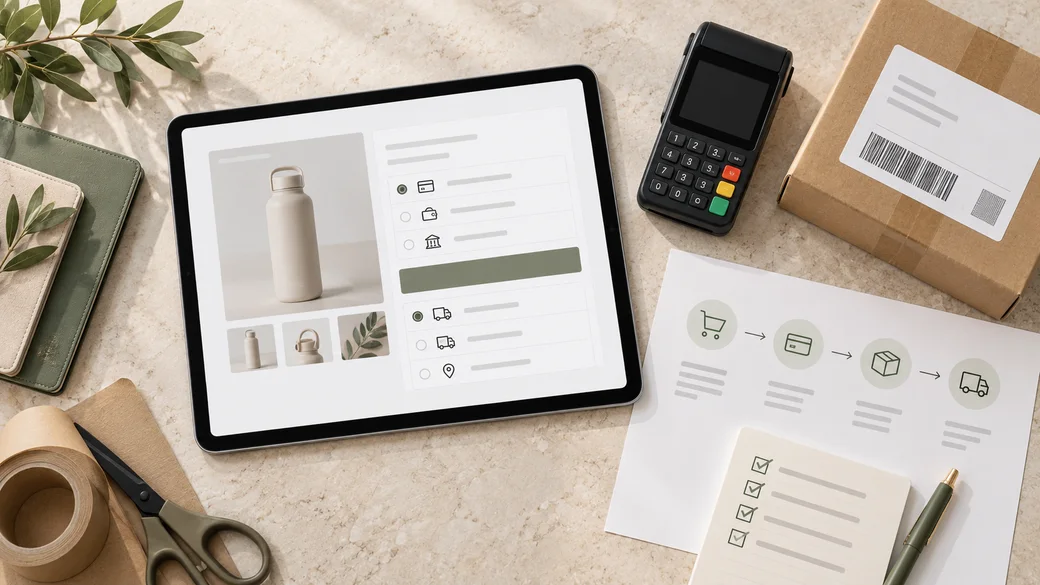
Set delivery zones and shipping rates around the carrier, warehouse, pickup, or fulfilment process you will actually use. Test addresses across the intended service area and confirm what the checkout displays when an address is unsupported, a product is unavailable, or delivery timing changes.
Publish clear delivery estimates, order cut-off times where applicable, return and exchange rules, and support contact details. Make sure staff know how to answer delivery questions and handle exceptions. If you use a shipping app or external fulfilment partner, test the order data, labels, tracking updates, and customer notifications from end to end.
Confirm tax, invoicing, and business requirements
Do not copy another store's tax settings. First establish where the business has an obligation to register and collect tax, then configure Shopify to match the confirmed registration and product treatment. Shopify's tax setup guidance says merchants should determine whether they need to charge tax and register with the relevant authority before entering tax registrations in Shopify.
The UAE Federal Tax Authority publishes guidance for VAT and ecommerce, and its e-Invoicing information describes the developing electronic invoicing system and directs businesses to the Ministry of Finance for the official programme details. Because eligibility, implementation dates, and business obligations depend on current rules and the merchant's circumstances, ask a UAE tax professional or the relevant authority to confirm what applies. Treat the store's invoice and accounting workflow as an implementation requirement to validate, not a setting to guess.
Test trust, mobile quality, analytics, and launch readiness
Most launch issues are easiest to find before a customer encounters them. Use real devices and test the paths a shopper will take, including product selection, variant changes, cart updates, discount codes, shipping address entry, payment, confirmation, and support contact. Include both language directions if the store supports Arabic and English.
- Check that product details, stock status, delivery estimates, returns, and contact information are clear before checkout.
- Review layout, text direction, image crops, buttons, validation, and page speed on narrow screens.
- Verify analytics and advertising tags with appropriate consent and privacy controls for the business's requirements.
- Test integrations and notifications, including what happens when a payment or fulfilment step fails.
- Give staff time to practise order handling, refunds, content updates, and escalation procedures.
- Record launch acceptance criteria, the person responsible for each check, and how to pause sales or recover if a critical issue appears.
Use a preview or controlled test process for checkout and integrations, then confirm the live configuration before opening the store. Keep a list of known limitations and decisions that can wait until after launch so the first release stays focused.
Common UAE launch-planning mistakes
- Treating the UAE as one delivery zone. Check actual carrier coverage and service promises for every area you intend to serve.
- Translating text without testing direction. Arabic layouts need right-to-left review across themes, apps, forms, and checkout touchpoints.
- Assuming displayed currency means settlement in that currency. Verify the payment provider and payout arrangement, not only the market selector.
- Configuring tax before confirming registration. Shopify settings support a confirmed tax approach; they do not determine the business's legal obligations.
- Launching with policies that operations cannot honour. Match delivery and returns copy to warehouse, carrier, and support processes.
- Testing only on desktop. Complete an end-to-end mobile order journey in each supported language and market context.
Plan your Shopify launch with a clear scope
If you are preparing a UAE launch, Zeroradius can help scope the storefront, theme, customer journey, integrations, and testing around your business requirements. Explore our Shopify Website Development Company service, or learn about our Shopify development company in Dubai offering. Bring your product and market plan, provider requirements, delivery model, language needs, and unresolved decisions to the project discussion.
Have questions?
Shopify's current country guidance lists the United Arab Emirates as supported. The business may need to provide personal and business information for verification, and merchant eligibility depends on the details of the business and account. Confirm the current requirements in Shopify admin before launch.
That depends on the customers you intend to serve and the experience your business can support. If Arabic is part of the target audience, plan translation and right-to-left quality assurance for the full buying and support journey, not just the homepage.
Shopify supports multiple languages and provides theme localization features, but the finished result depends on the theme, translated content, and installed apps. Test navigation, forms, product pages, and checkout-related steps in the actual storefront before launch.
Shopify's current Markets guidance says multi-currency payment processing requires Shopify Payments or Adyen. Other payment providers can display local prices while charging the customer in the store's default currency. Confirm your exact provider and payout setup before advertising a currency experience.
Confirm licensing and business readiness, products and target markets, language and layout, payment provider eligibility, shipping and returns, tax responsibilities, mobile quality, analytics, customer support, and recovery procedures. Then test a complete order using the real configuration.