
A Shopify migration can improve how your store looks, sells, and operates. It can also damage search visibility, break old product links, confuse customers, interrupt orders, or create support problems if the move is rushed.
The safest migrations are not treated as a simple export and import. They are planned as a business-critical move involving SEO, product data, customers, orders, payments, apps, analytics, fulfillment, policies, and launch communication.
This Shopify migration checklist is written for business owners, ecommerce managers, and decision-makers who want to move stores without losing SEO, orders, or trust. It covers what to prepare before migration, what to test before launch, and what to monitor once the new Shopify store is live.
If you are moving from WooCommerce, BigCommerce, Magento, Wix, custom ecommerce, or an older Shopify build, a structured Shopify migration plan can reduce risk and make the launch feel controlled instead of chaotic.
Quick Shopify Migration Checklist
Before you launch the migrated store, make sure these essentials are handled and assigned to clear owners.
- Audit the current store before making platform decisions.
- Export and review products, variants, collections, customers, orders, discounts, content, and media.
- Map old URLs to new Shopify URLs before launch.
- Preserve SEO titles, meta descriptions, canonical logic, schema, internal links, and image alt text where relevant.
- Decide which apps, integrations, payment methods, shipping rules, and tax settings must be rebuilt.
- Test product pages, collections, search, filters, cart, checkout, order emails, and customer accounts.
- Set up analytics, conversion tracking, pixels, consent tools, and ecommerce events.
- Prepare redirects, sitemap submission, launch monitoring, and post-launch fixes.
- Communicate changes clearly to customers if account access, order history, or policies are affected.
- Keep backups of the old store data until the new Shopify store is stable.
Why Shopify Migration Needs Careful Planning
Ecommerce migrations are sensitive because the website is not only a marketing asset. It is also a sales channel, catalog system, checkout experience, customer record, fulfillment trigger, analytics source, and trust layer.
A small technical mistake can create a visible business problem. A missing redirect can turn a ranked product page into a 404. A product variant mismatch can confuse stock. A payment setting error can block checkout. A broken tracking setup can make marketing performance look worse than it is.
Migration planning gives the project a clear sequence. First, understand the current store. Then decide what should move, what should change, what should be retired, and what must be tested before launch. This protects both customer experience and the commercial value the old store already built.
1. Audit the Current Store Before You Move
Start by documenting the existing store. List the platform, theme, products, collections, customer accounts, order history, payment methods, shipping rules, tax settings, apps, custom code, integrations, SEO pages, analytics tools, and operational workflows.
This audit helps you separate what must be migrated from what should be improved. Some old apps may no longer be needed. Some product categories may need clearer structure. Some pages may be thin, outdated, or not worth carrying forward. Migration is a good time to clean up, but only after you understand what currently supports sales and search visibility.
Pay special attention to top-performing products, high-traffic collections, blog posts, landing pages, and pages with backlinks. Those URLs deserve extra care because they may already carry SEO value, referral traffic, or paid campaign history.
2. Define the Migration Scope
Not every Shopify migration has the same scope. A simple store may only need products, collections, pages, customers, redirects, and basic settings. A more complex store may also need subscriptions, B2B pricing, loyalty points, multi-currency setup, ERP connections, POS data, reviews, custom checkout logic, or marketplace integrations.
Write down what needs to move, what needs to be rebuilt, and what will launch later. This prevents the migration from expanding quietly during development. It also helps your team understand which items are required for launch and which improvements can wait until the store is stable.
If the store needs custom logic, plan that early with your custom Shopify development team. Custom pricing, product configurators, third-party syncs, customer portals, or checkout-related workflows can affect theme architecture, app selection, QA, and launch timing.
3. Prepare Product, Collection, and Customer Data

Product data is one of the most common sources of migration problems. Before importing anything into Shopify, review product titles, descriptions, SKUs, variants, options, categories, collections, tags, prices, stock status, images, SEO fields, weights, dimensions, tax rules, vendor details, and custom metafields.
Clean data before migration whenever possible. Duplicate SKUs, inconsistent variant names, missing image alt text, outdated descriptions, and unclear collection logic can make the new store harder to manage. A clean product structure also supports better browsing, filtering, and Shopify SEO.
Customer data also needs care. Decide what will be imported, how customer accounts will be handled, and whether customers need to activate accounts again. For many migrations, passwords cannot simply be carried over in plain form, so customer communication should be planned before launch.
Order data should be preserved in a way that supports customer service and reporting. Even if old orders are not fully recreated as live Shopify orders, your team should still have reliable access to purchase history, refunds, fulfillment details, and support context.
4. Protect SEO With a URL and Redirect Plan
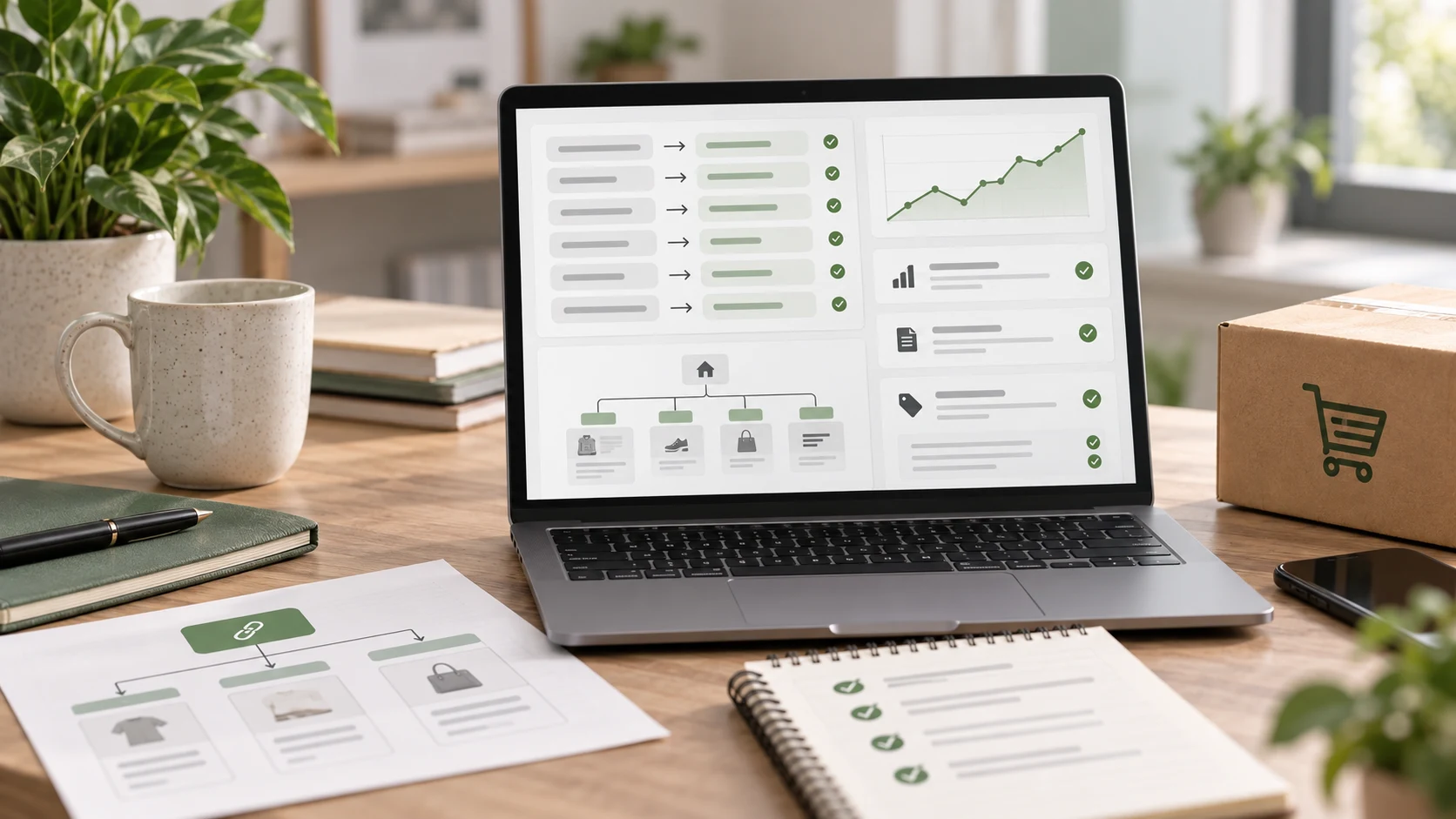
SEO protection should start before the new Shopify theme is finished. Export all important URLs from the old store, including product pages, category pages, blog posts, CMS pages, landing pages, and any URLs receiving traffic or backlinks.
Map each important old URL to the most relevant new Shopify URL. Product pages should usually redirect to the equivalent product. Category pages should redirect to the matching collection. Old content pages should redirect to the closest useful page, not automatically to the homepage.
A migration redirect plan should also account for deleted products, out-of-stock items, old campaign URLs, filtered pages, tag pages, and URLs created by the previous platform. The goal is to protect users and search engines from dead ends.
Preserve or improve key SEO elements during the move: page titles, meta descriptions, headings, internal links, canonical tags, structured data, robots rules, sitemap behavior, image alt text, and collection copy. For larger stores, a technical SEO audit before migration can identify risks before they become launch problems.
5. Rebuild Navigation, Collections, and Internal Links
A Shopify migration is a chance to make the store easier to browse. Review the main menu, footer links, collection structure, filters, search behavior, product recommendations, and content links before copying the old navigation exactly.
Collections should reflect how customers shop, not only how the business organizes stock internally. A clear structure helps users find products faster and helps search engines understand which pages matter.
Internal links also need review. Blog posts, buying guides, product descriptions, collection copy, FAQs, and landing pages should point to live, relevant Shopify URLs. Broken internal links create friction for users and waste crawl paths after launch.
6. Recreate Apps, Integrations, and Store Operations
Apps and integrations rarely transfer automatically in a perfect one-to-one way. List every current tool connected to the store, including email marketing, reviews, subscriptions, shipping, accounting, inventory, CRM, ERP, customer support, analytics, loyalty, returns, and fraud prevention.
For each tool, decide whether to keep it, replace it, or rebuild the workflow differently in Shopify. Check whether data needs to be migrated from the old app, whether historical records matter, and whether the new app changes the customer experience.
Complex integrations should be tested with real scenarios before launch. Inventory sync, fulfillment status, order exports, customer tags, tax rules, abandoned checkout emails, and marketing automations all need practical QA. If multiple systems depend on the store, ecommerce API integration planning should happen before launch week.
7. Configure Payments, Shipping, Taxes, and Policies
Checkout trust depends on operational details being clear and accurate. Confirm payment providers, currencies, shipping zones, delivery rates, free shipping thresholds, pickup options, tax settings, duties, return rules, refund policy, privacy policy, terms, and order notification emails.
Test the checkout as different customer types and from different locations if the store sells across regions. A shipping rate that works for one zone may fail elsewhere. A tax rule that looks correct in admin may behave differently once a product, address, or discount is involved.
Customers should not discover migration issues at checkout. If the store asks for too much information, hides delivery costs, sends unclear emails, or blocks a valid payment method, trust can drop quickly.
8. Test the Theme, Checkout, and Order Flow

A migration is not ready because the homepage looks finished. Test the full buying journey from discovery to post-purchase. Review the homepage, collection pages, filters, search, product pages, variant selectors, cart, checkout, order confirmation, customer emails, discount codes, gift cards, shipping rates, taxes, refunds, and fulfillment updates.
Mobile testing is especially important. Many ecommerce customers browse and buy on mobile, so menus, filters, image galleries, sticky actions, form fields, payment options, and account screens need careful review on real screen sizes.
Performance should also be checked before launch. Heavy images, too many apps, unused scripts, and bulky themes can weaken both SEO and conversion. Our guide on how to speed up a Shopify store is a useful companion when performance is a migration concern.
9. Set Up Analytics and Conversion Tracking
Analytics should be ready before the new Shopify store goes live. Confirm that ecommerce tracking, purchase events, add-to-cart events, checkout steps, product views, search events, marketing pixels, consent tools, and key campaign parameters are working.
Do not assume tracking survived the move because the old website had it installed. Shopify themes, app changes, checkout settings, consent requirements, and new URLs can all affect how data is collected.
After launch, compare traffic, revenue, conversion rate, average order value, channel performance, organic clicks, indexed pages, crawl errors, and top landing pages against the pre-migration baseline. Good measurement helps you separate normal launch fluctuation from real problems.
10. Plan the Launch Window and Rollback Readiness
Choose a launch window when the team can monitor the store and respond quickly. Avoid peak campaign periods, major sale days, and times when support or development teams are unavailable.
Before launch, confirm domain settings, DNS timing, redirects, payment mode, shipping rates, store password removal, app billing, notification emails, analytics, sitemap access, and admin permissions. Keep a launch checklist open and assign every item to a person, not just to the team generally.
A rollback plan does not mean you expect failure. It means you know what to do if a critical issue appears. Keep backups, export files, old platform access, DNS control, theme versions, and migration logs available until the new Shopify store is stable.
11. Monitor SEO, Orders, and Customer Trust After Launch
The first few days after launch matter. Check 404 errors, redirect behavior, sitemap status, indexed pages, organic traffic, top landing pages, checkout completion, order creation, payment failures, inventory updates, shipping labels, contact forms, support tickets, and customer account issues.
Some movement in search visibility can happen after a migration, especially when URLs, templates, or content changed. What matters is how quickly you identify and fix issues. Broken redirects, missing metadata, noindex mistakes, slow pages, and internal link errors should be treated as priority items.
Customer trust should also be monitored. Watch support questions, abandoned checkout patterns, delivery complaints, login issues, and refund requests. If customers are confused by the new experience, clear communication and fast fixes can protect confidence.
Common Shopify Migration Mistakes
One common mistake is focusing only on design and leaving SEO until the end. Redirects, metadata, content structure, internal links, and sitemap behavior should be planned before launch, not repaired after traffic drops.
Another mistake is importing messy product data into a clean new theme. If SKUs, variants, collections, images, or descriptions are inconsistent, the new store may look polished but still feel difficult to browse and manage.
Businesses also underestimate app and integration complexity. A store may depend on hidden workflows that only become obvious when orders stop syncing, emails stop firing, or inventory no longer updates correctly.
Finally, many migrations launch without enough post-launch monitoring. A successful migration is not only the moment the new site goes live. It is the period afterward when SEO, orders, tracking, and customer experience remain stable.
What to Give Your Shopify Migration Partner
A migration partner can work faster and more accurately when the brief is clear. Prepare admin access where appropriate, product exports, customer and order requirements, current app list, integration details, analytics access, current sitemap, top organic landing pages, backlink-priority URLs, policy pages, brand assets, payment and shipping rules, launch deadlines, and known pain points.
It also helps to define success. Are you moving to Shopify mainly for easier management, better performance, stronger UX, cleaner SEO, better integrations, international selling, or a more reliable checkout? The answer should influence the migration plan.
Zeroradius supports Shopify migrations with planning, data preparation, UX review, theme development, SEO protection, integration setup, QA, and post-launch support. For stores that need a wider rebuild, our Shopify website development service can connect migration with a stronger storefront experience.
Ready to improve your Shopify store?
Get a sharper plan for Shopify growth.
Talk through theme decisions, speed issues, merchandising, product discovery, and conversion improvements with the Zeroradius team.
Final Thoughts
A Shopify migration should protect what already works while improving what holds the store back. That means moving more than products. It means protecting SEO value, preserving operational history, testing checkout, keeping customers informed, and watching the store carefully after launch.
The best migrations feel uneventful to customers. Pages load, links work, products are accurate, orders go through, emails arrive, and the brand feels reliable. Behind that smooth experience is careful planning.
If your business is preparing to move platforms, Zeroradius can help you plan and execute a safer Shopify migration that protects visibility, orders, and customer trust from the first audit through post-launch support.
Have questions?
A Shopify migration is the process of moving an ecommerce store from another platform or older setup into Shopify. It can include products, collections, customers, orders, content, media, redirects, apps, integrations, settings, and SEO data.
Audit your current URLs, map old URLs to new Shopify URLs, set up redirects, preserve important metadata and content, check canonical tags and sitemap behavior, fix broken internal links, and monitor search performance after launch.
Order history can often be imported or preserved depending on the source platform, data quality, and migration method. Even when old orders are not recreated exactly as native Shopify orders, the business should retain reliable access to historical order information.
Test products, collections, search, filters, cart, checkout, payments, shipping, taxes, discounts, customer accounts, order emails, app workflows, integrations, analytics, redirects, mobile layouts, and page speed before going live.
The timeline depends on store size, product complexity, data quality, design changes, app requirements, integrations, SEO scope, and QA needs. A small migration may be straightforward, while a larger store with custom workflows needs a more detailed project plan.
A migration can be a good time to improve UX, performance, navigation, and product pages, but redesign scope should be planned carefully. Changing platform, content, URLs, and design at the same time increases the need for testing and SEO control.