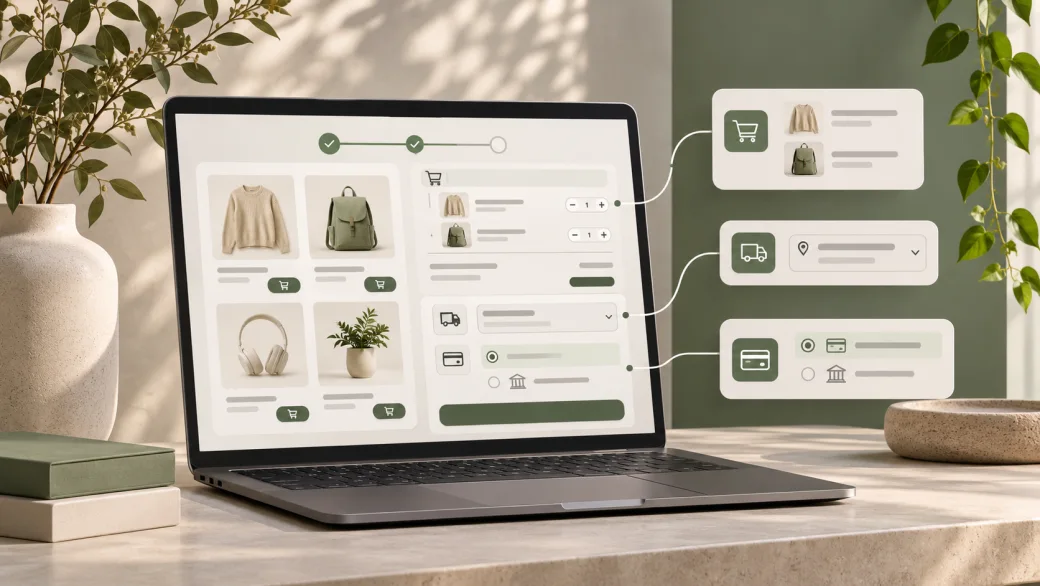
A checkout extension can work perfectly on a shortcode checkout and disappear when the store switches to the Checkout block. The difference is architectural: the blocks use a JavaScript interface and WooCommerce Store API requests to keep the shopper's cart and checkout in sync. Developers need to check the specific extension point before promising that an existing customization will carry over.
The practical rule is to use documented block interfaces for the shopper experience, documented Store API extension points for cart or checkout data, and server-side validation for rules that must hold when an order is placed. Test the complete journey with the store's actual payment, shipping, tax, and account settings. This guide is for developers and ecommerce managers planning or reviewing a WooCommerce checkout integration.
What the Store API does
The Store API exposes customer-facing product, cart, and checkout endpoints. It is different from the authenticated WooCommerce REST API used for administrative store operations. The Store API supports shopper sessions and deliberately does not expose sensitive store administration data. Cart and Checkout blocks use it to refresh cart state, totals, addresses, available shipping, and order submission.
That distinction sets the first design boundary. A checkout field or fee should not be implemented by editing a page template alone. Its display, data transport, server validation, and order storage each need an owner. An ERP order export belongs to a separate, authenticated integration flow, even if checkout supplies one of its inputs. Our plugin versus custom development guide helps decide whether that behavior warrants new code at all.
A short implementation checklist
- Confirm whether the store uses the Cart and Checkout blocks or legacy shortcode pages.
- Write down the exact behavior for guests, signed-in customers, mobile users, and failed payments.
- Check current WooCommerce documentation for a supported field, payment, shipping, or Store API extension point.
- Keep authoritative price, eligibility, and validation decisions on the server.
- Check the payment gateway and other extensions for block compatibility on staging.
- Exercise cart updates, totals, addresses, shipping changes, order creation, and error recovery before launch.
Choose the right extension point
WooCommerce's Cart and Checkout extensibility guide separates client-side block work from server-side checkout behavior. For a standard new checkout field, start with additional checkout fields. The registration API supports contact, address, and order locations, with different persistence and validation behavior. A field shown in the address location appears for both billing and shipping, so test that detail before using it for a single-address requirement.
If an extension needs to expose its own cart data, use the documented Store API extension mechanism rather than injecting ad hoc response properties. For an on-demand cart change, WooCommerce documents a server callback and client helper; it cautions extensions against directly changing the block's client-side cart state. If a custom rule changes a total, check the recomputed cart response and the final order, not just the visible number.
Payment methods require their own block integration. WooCommerce documents client-side payment registration, including availability based on the cart. Existing server-side payment handling may still process a method, but that alone does not make its UI available in the Checkout block. Confirm the gateway's supported block implementation and test authorization, decline, retry, and return flows.
How cart, shipping, and checkout state interact
Address or shipping method changes can recalculate the cart. Treat the Store API response as the current source for rates and totals. A shipping extension should work with the store's configured packages, destinations, and method availability, then verify that the selected rate is saved to the order. Test a change from one country or postcode to another after a shopper has already selected shipping.
Checkout is also a stateful process. WooCommerce's checkout flow documentation describes the events available to payment integrations. Design for pending calculations and failures, not only the successful order. A client-side warning helps the shopper, while server-side validation protects the rule if a request is sent outside that UI. Make error text actionable and keep focus and keyboard navigation usable after a validation failure.
Security and compatibility checks
Store API endpoints are public-facing, but cart and checkout mutations are tied to a shopper session. WooCommerce's nonce guidance says cart POST requests and checkout requests need a valid nonce unless a Cart Token is used. Cart Tokens are useful for headless cart sessions. Neither mechanism gives an extension permission to expose private order or customer data. Apply authorization separately to any administrative operation, and never place secret REST API credentials in browser code.
Legacy shortcode checkout hooks do not all run in the block experience. Audit every customization against WooCommerce's supported block alternatives, including payment gateways, delivery rules, checkout fields, discounts, and order metadata. Avoid editing WooCommerce core or assuming an undocumented internal data store is a stable extension contract.
On November 19, 2026, WooCommerce released 11.3.1 with security fixes that include stronger checkout and order checks, Store API permissions, and concurrent order handling. That is a released security update, not a new extension API. For stores affected by those paths, apply the update through the normal maintenance process and rerun payment, shipping, address, coupon, and duplicate-submission tests.
Test the order journey before release
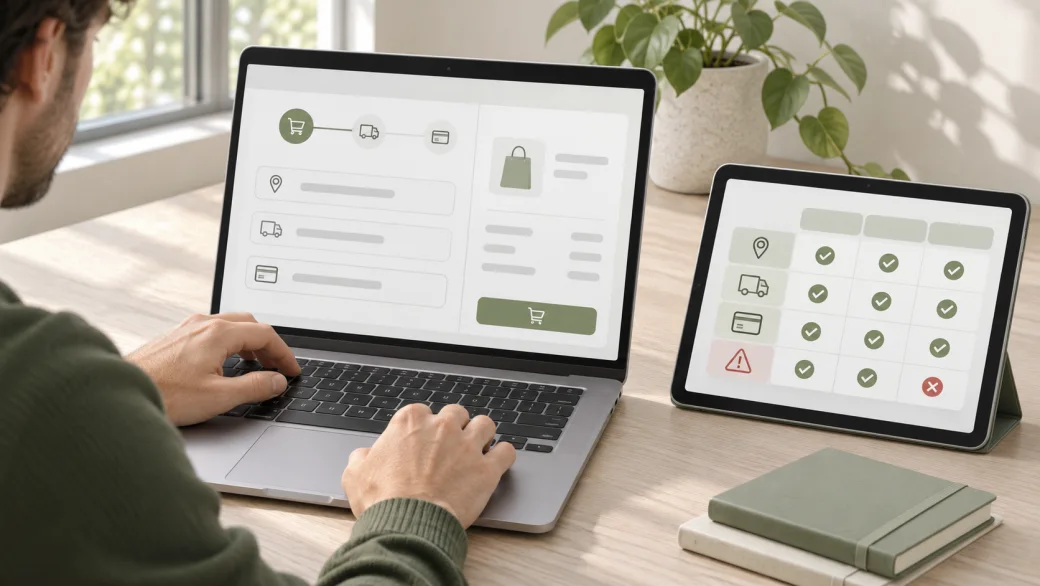
Use a staging copy with the same checkout blocks, theme, extensions, and gateway modes as the intended release. A useful matrix covers guest and account checkout; simple and variable products; quantity, coupon, and stock changes; multiple destinations and shipping methods; tax recalculation; successful and declined payment; and order confirmation emails. Check the resulting order data and downstream integrations after each case.
Add keyboard-only and screen-reader checks for custom fields and error states. Try slow responses and a second click on Place Order. Confirm that a failed request leaves the shopper able to correct the problem without silently creating a duplicate order. Record versions, expected results, actual results, and a rollback route. For broader store setup decisions, see our WooCommerce website planning guide.
Common implementation mistakes
- Assuming a shortcode checkout hook automatically appears in the Checkout block.
- Testing a field's appearance without checking server validation and saved order data.
- Changing local cart state without letting the Store API return updated totals.
- Enabling a payment method without testing the gateway's block UI and failure flow.
- Putting an administrative API credential or private customer data in client-side code.
- Testing only one address, one shipping method, and a successful payment.
WooCommerce checkout development
Make your checkout requirements testable.
Share the current checkout flow, extension list, and the behavior you need. Zeroradius can scope supported block and Store API work, then test it against the store's real order paths.
Have questions?
No. The Store API serves customer-facing product, cart, and checkout functions. The authenticated WooCommerce REST API is for store management and integrations that need authorized access.
Yes. The blocks use Store API requests to work with the shopper's cart and checkout state, including recalculated totals and order submission.
Some server-side hooks may still work, but not all shortcode checkout customizations transfer. Check each hook against WooCommerce's documented block support and test its actual behavior.
Start with WooCommerce's additional checkout fields registration API when it fits the requirement. Select the right field location and test display, validation, persistence, and order access.
Avoid directly changing the block's client cart state. Use WooCommerce's documented cart update extension interface so the server can return a consistent cart and totals.
No. Confirm that it registers a compatible block payment method and test availability, payment success, declines, and retries with the store's actual configuration.
Checkout requests need a valid session mechanism. WooCommerce documents nonce headers for standard requests and Cart Tokens as an alternative for headless cart sessions. Neither is an administrative API credential.
Run the critical cart-to-order journey again: address and shipping changes, coupons, tax, gateway outcomes, validation, emails, and connected systems. Include any path named in the release notes that the store uses.