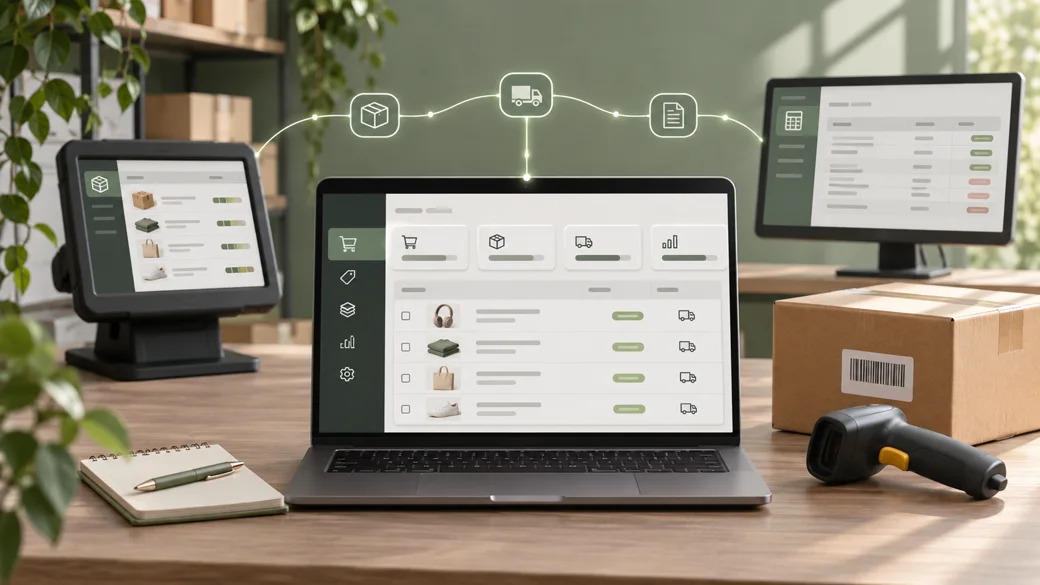
An order reaches WooCommerce, but the warehouse does not see it. Stock changes in the ERP, but the product page still shows the old quantity. These are integration failures, not necessarily storefront failures. The fix starts by deciding which system owns each record and what should happen when a transfer is delayed or rejected.
A reliable WooCommerce API integration connects defined business events to defined system actions, then checks that the records agree. This guide is for store owners, operations leads, and technical decision-makers connecting WooCommerce to ERP, CRM, inventory, accounting, fulfillment, or shipping software. It covers the design choices to settle before selecting a connector or commissioning custom development.
Start with the business workflow, not the connector
List the handoffs that currently require copying data, checking dashboards, or fixing mismatches. For each handoff, name the trigger, destination, expected delay, and person responsible when it fails. A useful first version might send paid orders to fulfillment, return tracking details to WooCommerce, and synchronize available stock from an inventory system. That is easier to test than a vague requirement to “sync everything.”
- ERP: Which order state starts processing, and where do cancellations and refunds go?
- CRM: Which customer events matter, and what consent or contact preferences must travel with them?
- Inventory: Which system controls sellable quantity, reservations, and backorders?
- Accounting: Are totals, tax, shipping, discounts, refunds, and payouts represented separately?
- Fulfillment and shipping: Who creates a shipment, chooses a carrier, and writes tracking data back?
The WooCommerce REST API documentation describes authenticated access to orders, products, customers, and other store resources. For new administrative integrations, its current v3 endpoints sit under /wp-json/wc/v3/. The customer-facing Store API serves a different purpose; it is not a substitute for an authenticated order or product integration.
Map ownership and identifiers before moving data
Make a field map with a source of truth, destination, transformation, and matching identifier for every important object. For example, WooCommerce may create the order, the ERP may assign a fulfillment reference, and the warehouse may own the tracking number. Decide whether an ERP's stock number means physical stock, available-to-sell stock, or stock after reservations. Those values should not be treated as interchangeable.
Use stable external IDs to join records. A product SKU can be useful, but it may change or be reused. Record the WooCommerce product or variation ID alongside the external system's ID, and define what happens when a product has no match. For orders, store the external reference and make repeat delivery safe: a second notification for the same order should update or confirm the existing record, not create a second shipment.
Write down how each system represents statuses, currencies, taxes, refunds, bundles, and partial fulfillment. The order total shown in WooCommerce may need several accounting entries rather than one amount. Where a connector cannot map a required field or status, discover that limit before launch. This is often the point where WooCommerce API Integration services can help scope the actual gap.
Choose a connection method for each flow
Packaged connector or plugin. Choose one when it supports the exact systems, objects, and status transitions you need, with a clear owner for updates and support. Test its mapping, retry behavior, logs, and compatibility on a staging store. A long feature list does not prove that your cancellation or partial-refund flow works. Our plugin versus custom development guide provides a wider decision framework.
Middleware. A managed integration platform or dedicated service can translate records, queue work, and connect several systems. It adds its own subscription, access controls, monitoring, and operational dependency. Ask where data is stored and how failed jobs are replayed.
Webhooks plus API calls. WooCommerce webhooks can notify a receiver when orders, products, or customers change. The receiver can verify the signed payload, record the event, and retrieve current details through an authenticated API request before processing. A webhook is an event signal; it does not by itself guarantee that the other system completed the work. WooCommerce documents failed-delivery disabling and webhook logs, so the receiving system needs monitoring and a recovery path.
Custom integration. Use it when a verified business rule, unusual data model, or multi-system sequence cannot be handled reliably by a maintained connector. Keep the code documented and owned. If custom code reads or writes WooCommerce orders inside WordPress, use WooCommerce's documented order APIs rather than assuming direct WordPress post-table access. Its High-Performance Order Storage guidance explains why that matters.
Secure the connection and plan for failure
WooCommerce REST API keys are tied to a WordPress user and have read, write, or read/write permissions. Create a dedicated integration identity with the least access the flow needs, keep its credentials in a server-side secret store, use HTTPS, and document rotation and revocation. Do not place keys in browser code or logs. Validate webhook signatures at the receiver and restrict what an incoming event is allowed to trigger. The official authentication guidance describes the key and permission model.
Assume timeouts, duplicate notifications, unavailable systems, and temporary throttling by a connected provider. Queue work where appropriate. Retry transient failures with a bounded backoff, but send invalid data and exhausted retries to a review queue instead of looping forever. Use an idempotency key or a stored event and object ID to prevent duplicate orders, invoices, or shipments. Keep enough context to replay a failed job without exposing sensitive customer data in logs.
Rate limits and retry rules vary by the connected system and deployment. Confirm them in each provider's current documentation and record the observed response codes during testing. Avoid treating the Store API's shopper-facing rate-limit settings as the rate policy for an administrative REST API integration.
Make reconciliation part of the product

A successful HTTP response means a request was accepted; it does not prove that two systems still agree a day later. Schedule a comparison of recent orders, stock levels, shipments, or invoices using the same identifiers from the field map. Report missing records, mismatched totals, and records stuck in intermediate states. Give staff a way to investigate and safely replay a transfer after correcting the cause.
For each transfer, log a correlation ID, source record, destination record, event type, attempt time, result, and next action. Alert on a growing queue or a webhook that has been disabled. Assign an operational owner who can interpret both the store and the connected system. Without that owner, a technically successful integration can still leave unresolved orders.
Test the real workflows before launch
Use a staging store and test accounts in the receiving systems. Run a small set of representative products and orders through the full journey, including a variant, a discounted order, tax and shipping charges, a cancellation, a partial refund, and an out-of-stock change. Check the records in both systems, not just the integration dashboard. Where payment behavior is the main issue, use our separate payment gateway integration checklist; this guide addresses the wider business data flow.
- Confirm the source of truth and field map for every flow.
- Test missing IDs, malformed values, and a destination that is temporarily unavailable.
- Send the same event twice and confirm it does not create duplicate business records.
- Compare WooCommerce, ERP or CRM, and fulfillment totals or statuses after processing.
- Verify credential scope, webhook signatures, logs, alerts, and a safe replay procedure.
- Document release timing, a pause switch, rollback steps, and who handles exceptions.
Common integration mistakes
Connecting every available field creates more failure paths without necessarily improving operations. More damaging mistakes include letting two systems overwrite the same value, assuming webhooks arrive exactly once, using an order status without agreeing what it means downstream, and treating a connector's green status as proof of reconciliation. A launch plan should include monitoring during the first order cycles and a clear procedure for pausing outbound writes if mapping is wrong.
WooCommerce systems integration
Turn disconnected store data into a testable workflow.
Share your systems, current handoffs, and the records that go out of sync. Zeroradius can map the integration, identify connector gaps, and plan the checks needed before release.
Have questions?
It can support authorized exchange of store data with systems such as ERP, CRM, inventory, accounting, and fulfillment tools. The destination system must also provide a suitable integration method.
Webhooks are useful for timely event notifications. A scheduled comparison is still valuable for finding missed events and records that changed after the first transfer.
Choose one authoritative system for sellable stock and define how reservations, returns, and manual adjustments change it. Avoid two-way updates without conflict rules.
Store a stable source event or order ID with the destination record and make repeat processing idempotent. Test duplicate notifications before launch.
No. A receiver can be unavailable, and repeated failed deliveries can disable a webhook. Monitor delivery logs and reconcile records independently.
Middleware can help when several systems need mapping, queues, and monitoring in one place. Assess its data handling, support, cost, and recovery tools against your workflow.
Use a dedicated integration user, only the permissions needed, HTTPS, server-side secret storage, and a documented rotation and revocation process.
Test ordinary and exceptional orders, field mapping, refunds, stock changes, duplicate events, destination outages, reconciliation, alerts, and safe replay of failed work.